Both Veritas products can send backups to object storage that speaks the Amazon S3 API. Neither knows Iglubox by name, so in both you describe the endpoint once, as a cloud instance, and from then on the bucket behaves like any other cloud storage.
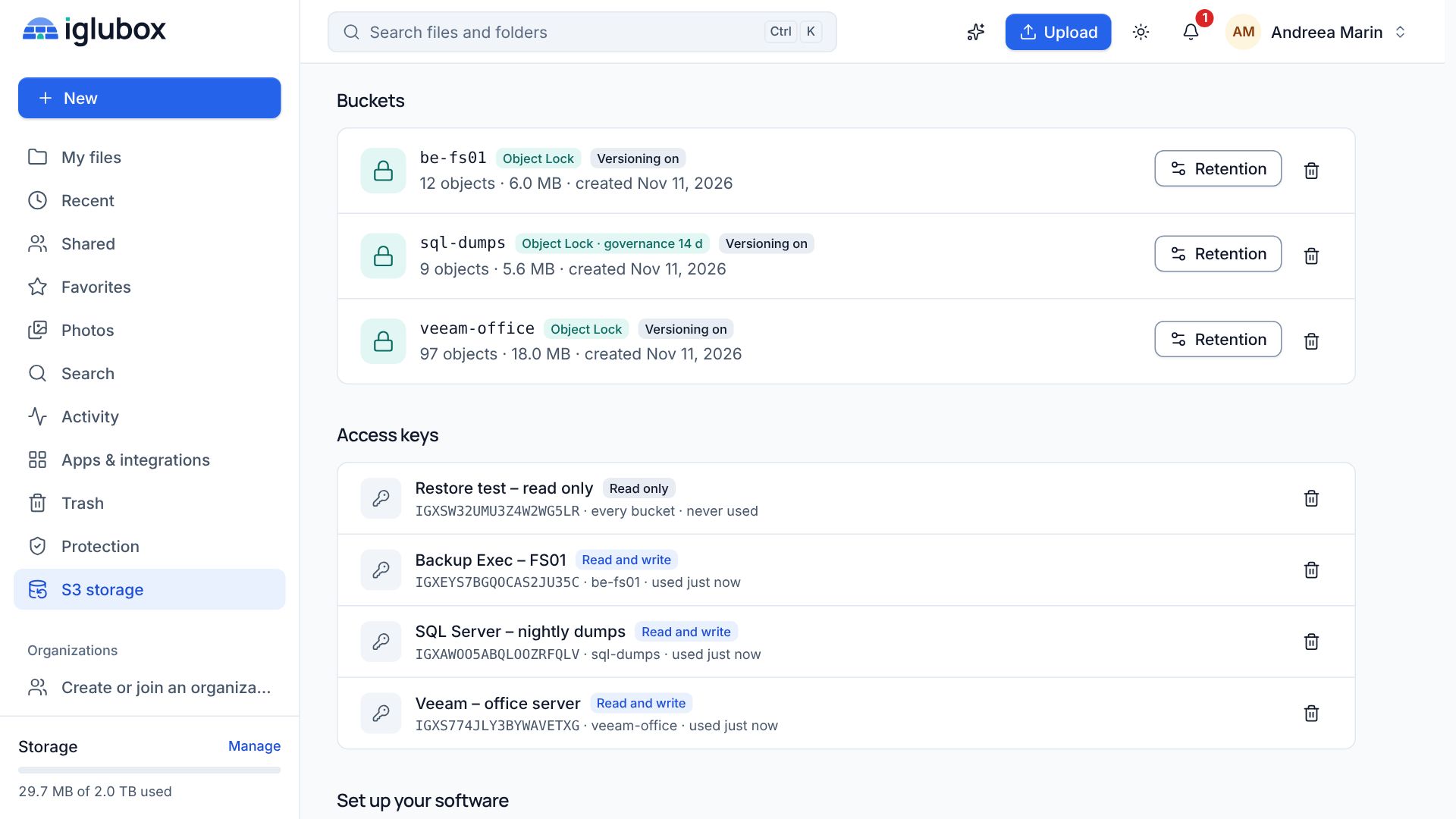
Before you start, create two things on the S3 storage page of the web app:
- A bucket, for example
be-fs01. Versioning keeps the earlier versions of every object. - An access key with read and write access, limited to that bucket. Its secret is shown only once.
The endpoint and the region are shown under Connection on the same page, and Set up your software further down repeats the steps below with your own values filled in. The examples here use s3.your-domain and us-east-1.
Backup Exec
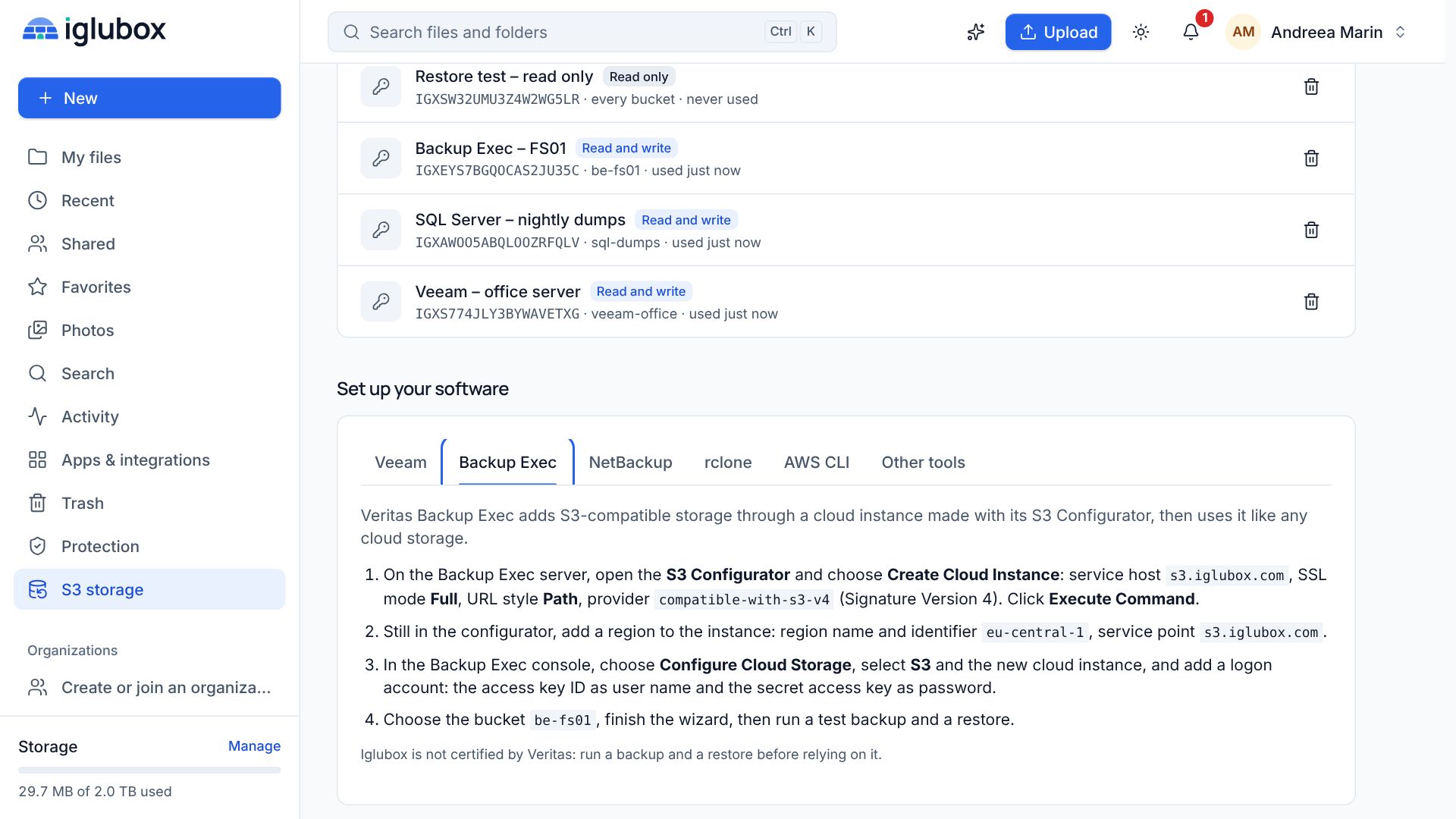
Backup Exec adds S3-compatible storage through its S3 Configurator utility, which creates the cloud instance with BEMCLI for you.
- Open the S3 Configurator on the Backup Exec server and click Create Cloud Instance.
- Name: letters, digits and dashes, for example
iglubox. - Service Host:
s3.your-domain - SSL Mode:
Full, so that the certificate is checked and the data travels encrypted. - URL Style:
Path - Provider:
compatible-with-s3-v4. Iglubox accepts Signature Version 4 only; the oldercompatible-with-s3provider signs with version 2 and is refused. - Click Execute Command and check that BEMCLI reports the instance as created.
- Still in the configurator, add a region to the instance:
us-east-1(or the region on your S3 storage page) as name and identifier, ands3.your-domainas the service point.
Back in the Backup Exec console, choose Configure Cloud Storage, select S3, pick the new cloud instance and add a logon account: the access key ID as the user name and the secret access key as the password. Select the bucket be-fs01 and finish the wizard.
Point a test job at the new storage, run it, and restore a few files from it.
NetBackup
NetBackup reaches S3 storage through a cloud storage server, a disk pool on a bucket and a storage unit that the policies use.
- In the NetBackup web UI, add cloud storage and choose an Amazon S3-compatible provider type.
- Iglubox is not in NetBackup’s list of service hosts, so add it as a custom cloud instance first: with Add Cloud Storage in the wizard, or with the
csconfigcommand for an Amazon-compatible instance. Use the service hosts3.your-domain, HTTPS on port 443 and the region of your S3 storage page. - Give the storage server a logical name (not the name of a host), choose the media server and enter the access key ID and the secret access key.
- Create a disk pool on the bucket, then a storage unit that uses it, and point a policy at the storage unit.
About immutability: NetBackup qualifies its own immutable (WORM) cloud storage for a list of storage platforms, and Iglubox is not on that list. Use the bucket as standard cloud storage, or test NetBackup’s immutability carefully yourself before relying on it. Object Lock on Iglubox works the same whichever program writes the objects; it is NetBackup’s side that has not been checked.
Good habits with any backup software
- One key per server. When a media server is replaced or compromised, you delete one key and nothing else breaks.
- One bucket per purpose. Locks, versions and usage are counted per bucket; mixing jobs makes all three harder to read.
- Watch the bucket, not only the job. The S3 storage page shows the objects, versions and size of each bucket. A bucket that stops growing while the jobs report success deserves a look.
- Restore regularly. A restore is the only proof that a backup works.
Veritas, Backup Exec and NetBackup are trademarks of their owners. Iglubox is an independent service and has not been reviewed by them.