The search at the top of your files finds them by their names. Search in documents finds them by what they say: a payment in a bank statement, a line of an invoice, a clause of a contract.
What you need: nothing to install. You choose which documents are read; nothing is read before you do, only you can search them, and you can delete what was read at any time. The help center has the short version: Search inside your documents.
The pictures are from the product. The people, companies and figures in them were made up for the pictures.
Step 1: Choose what to search inside
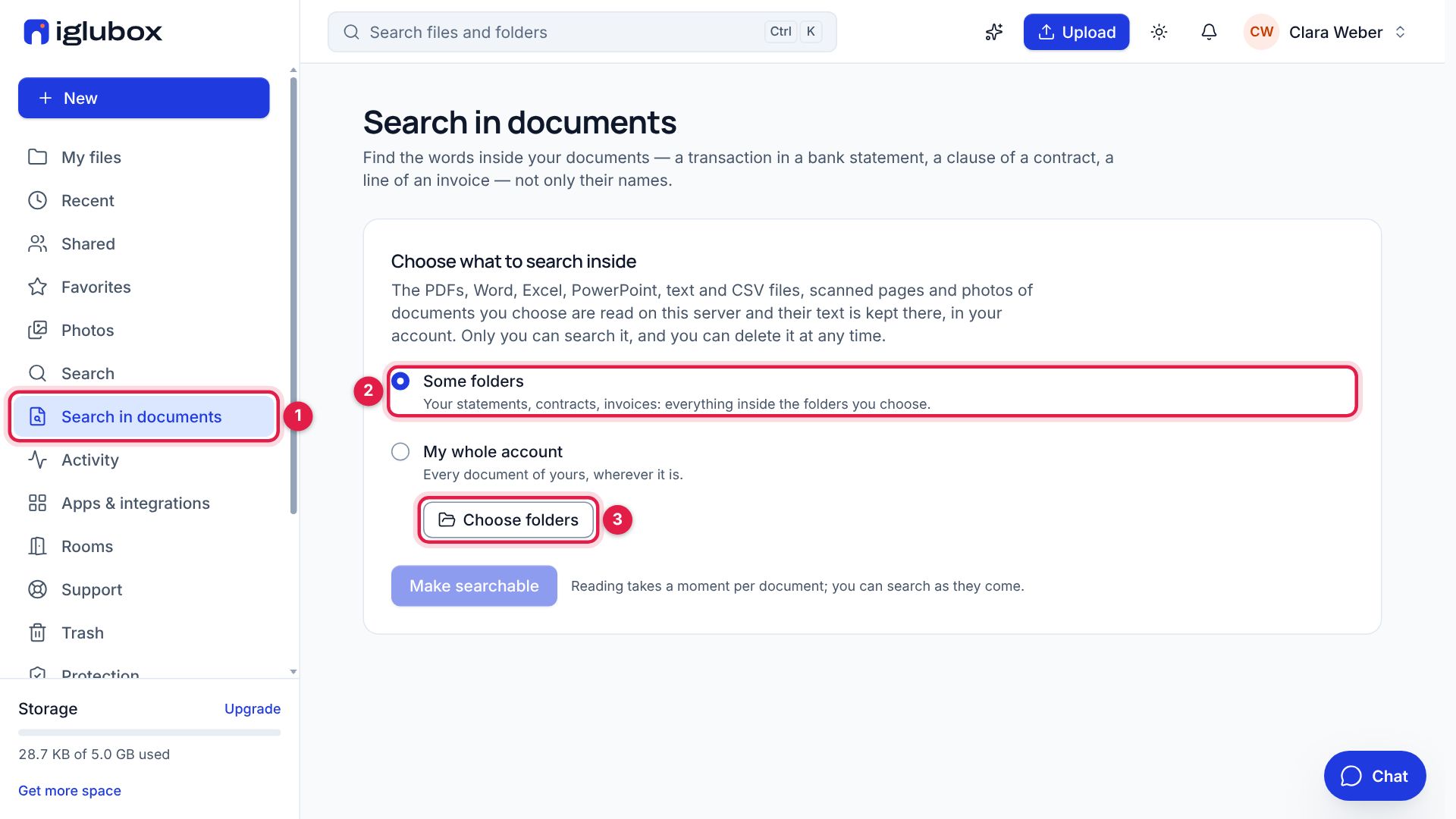
Open Search in documents in the sidebar (1). The first time, it asks what to search inside: keep Some folders (2) and choose Choose folders (3). To search everything, choose My whole account instead.
Step 2: Tick the folders
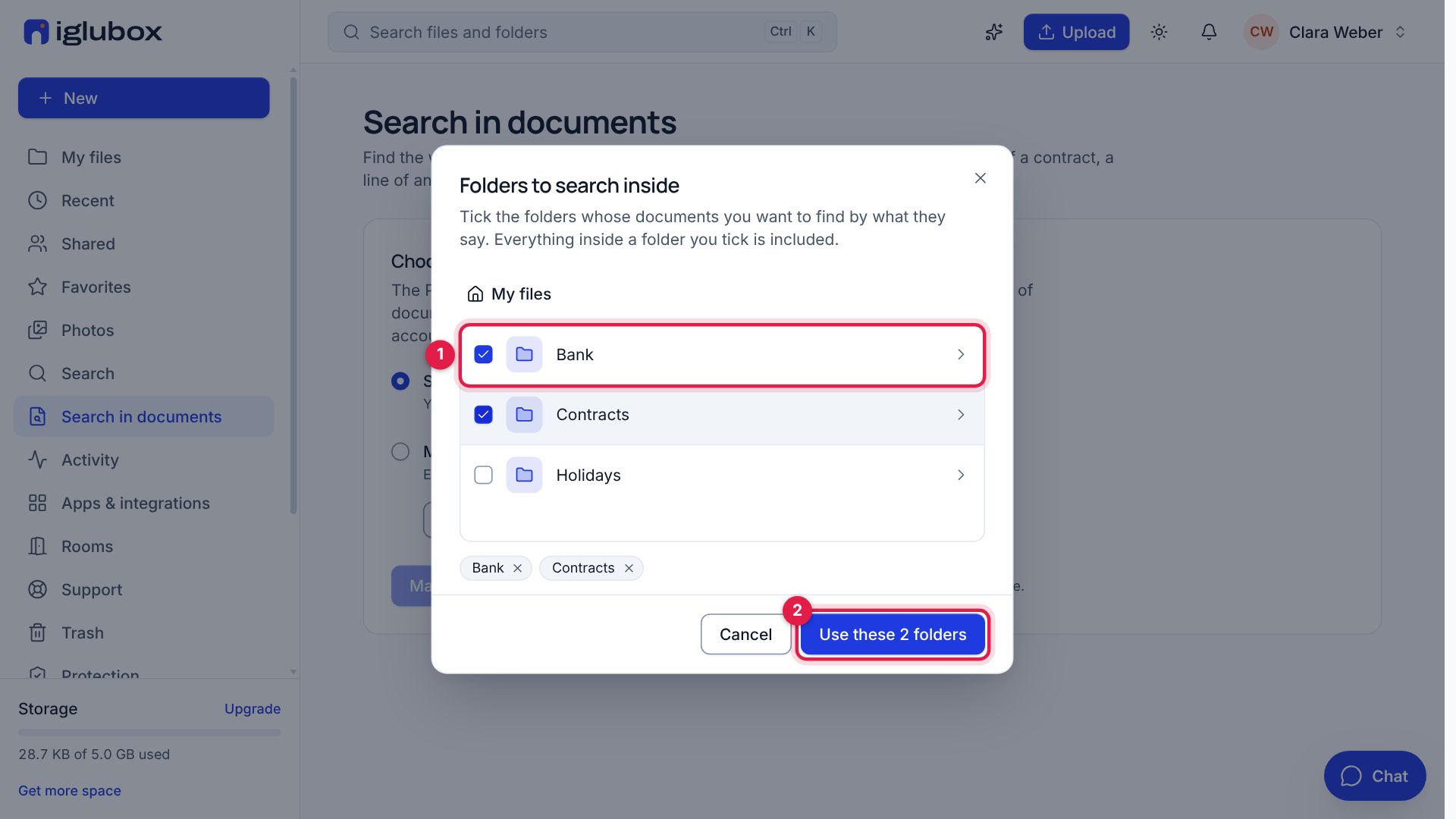
Tick the folders whose documents you want to find by what they say: here Bank (1) and Contracts. Everything inside a folder you tick is included. Choose Use these 2 folders (2).
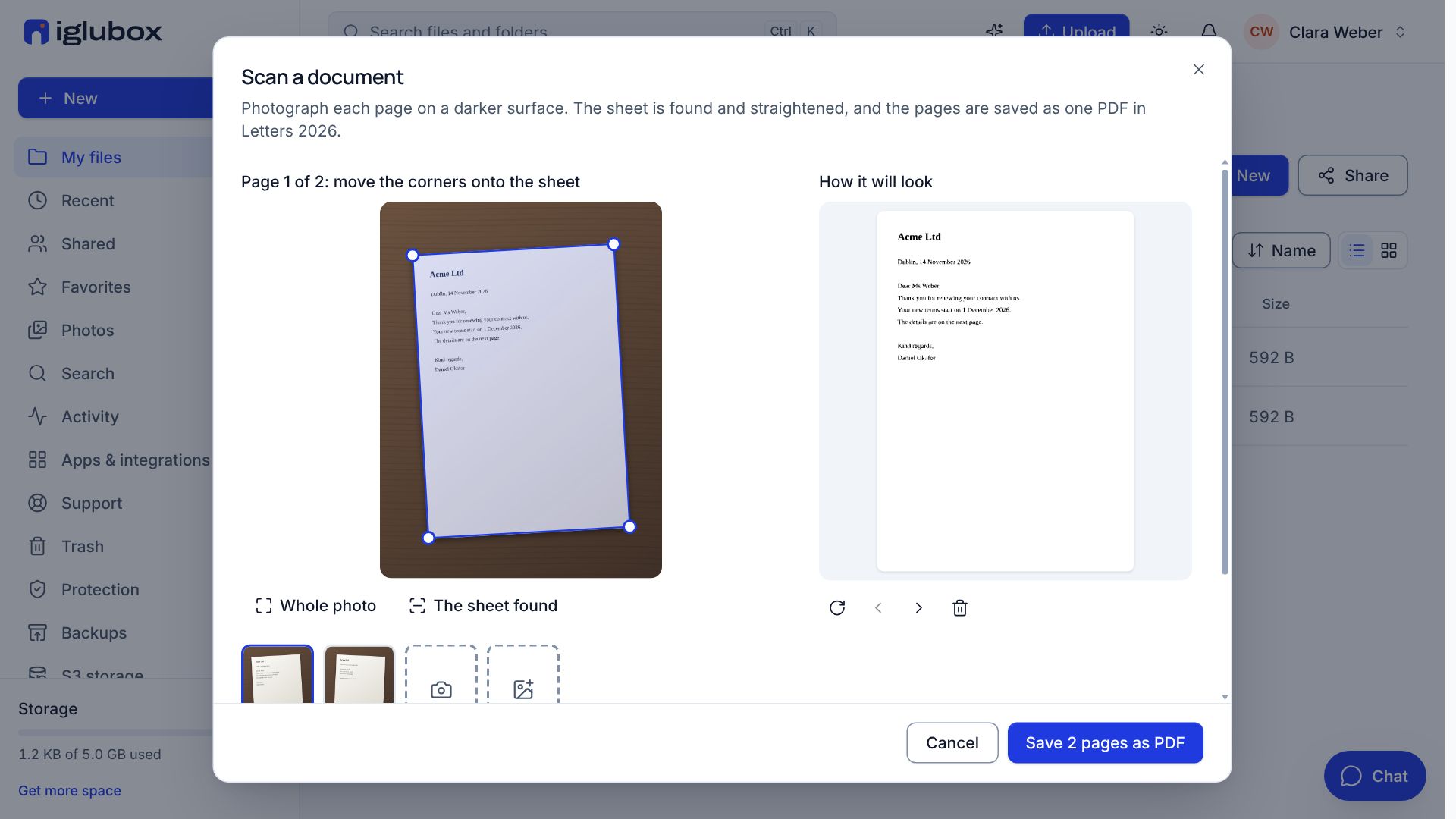
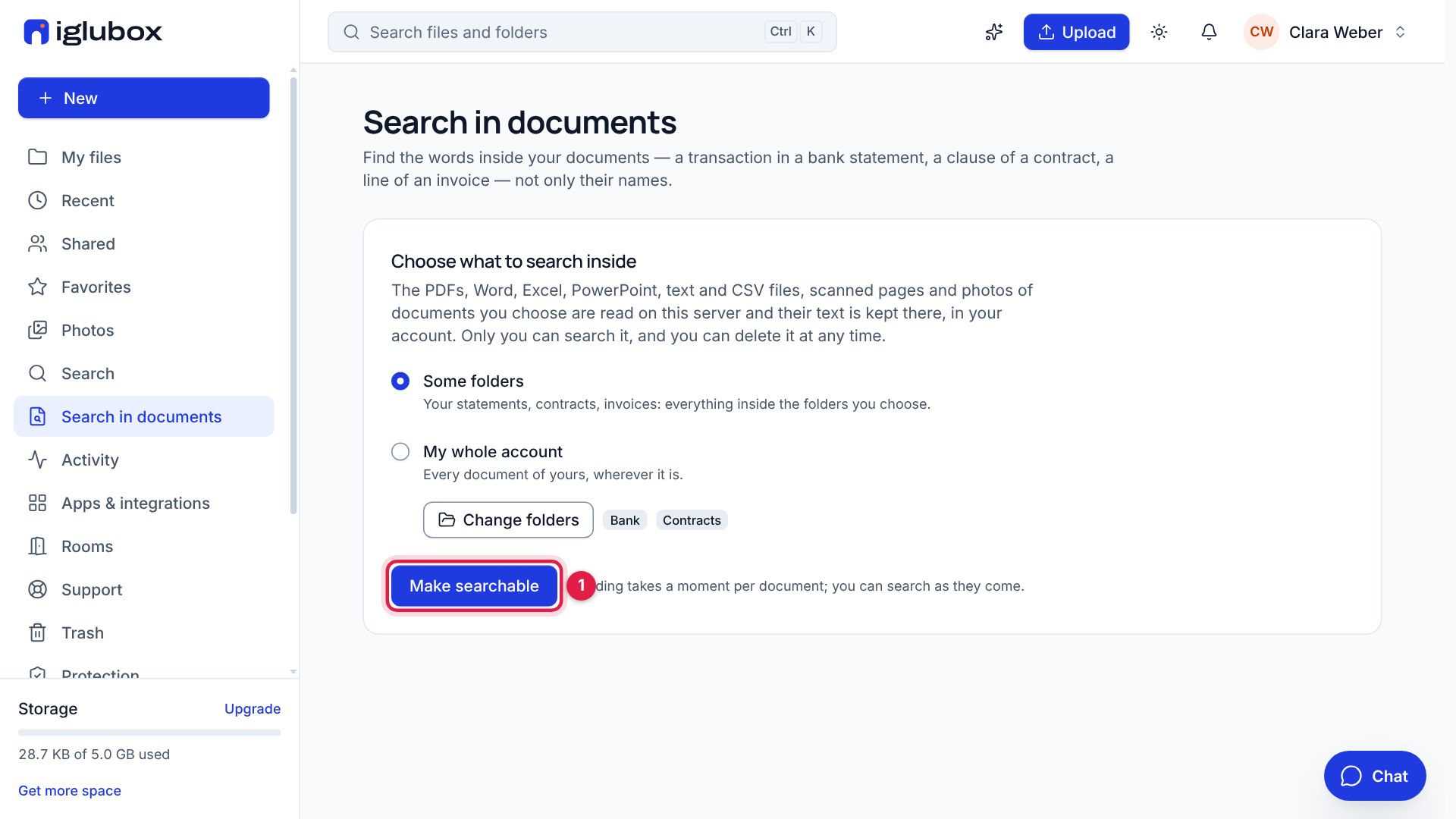
Then choose Make searchable (1). The documents are read on our servers, one after the other: PDFs, Word, Excel, PowerPoint, text and CSV files, and scanned pages and photos of documents too. You can search as they come.
Step 3: Search for the transaction
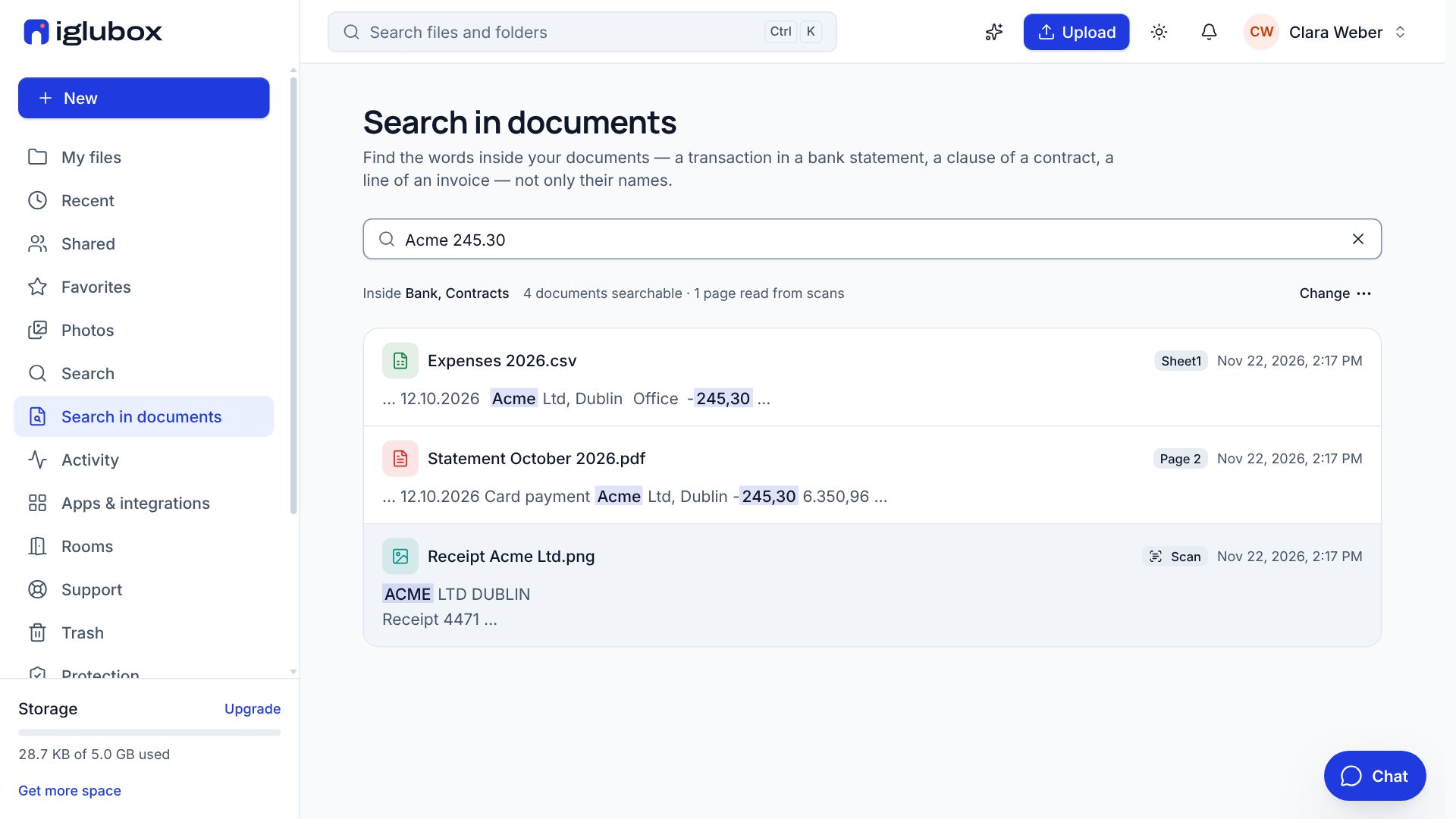
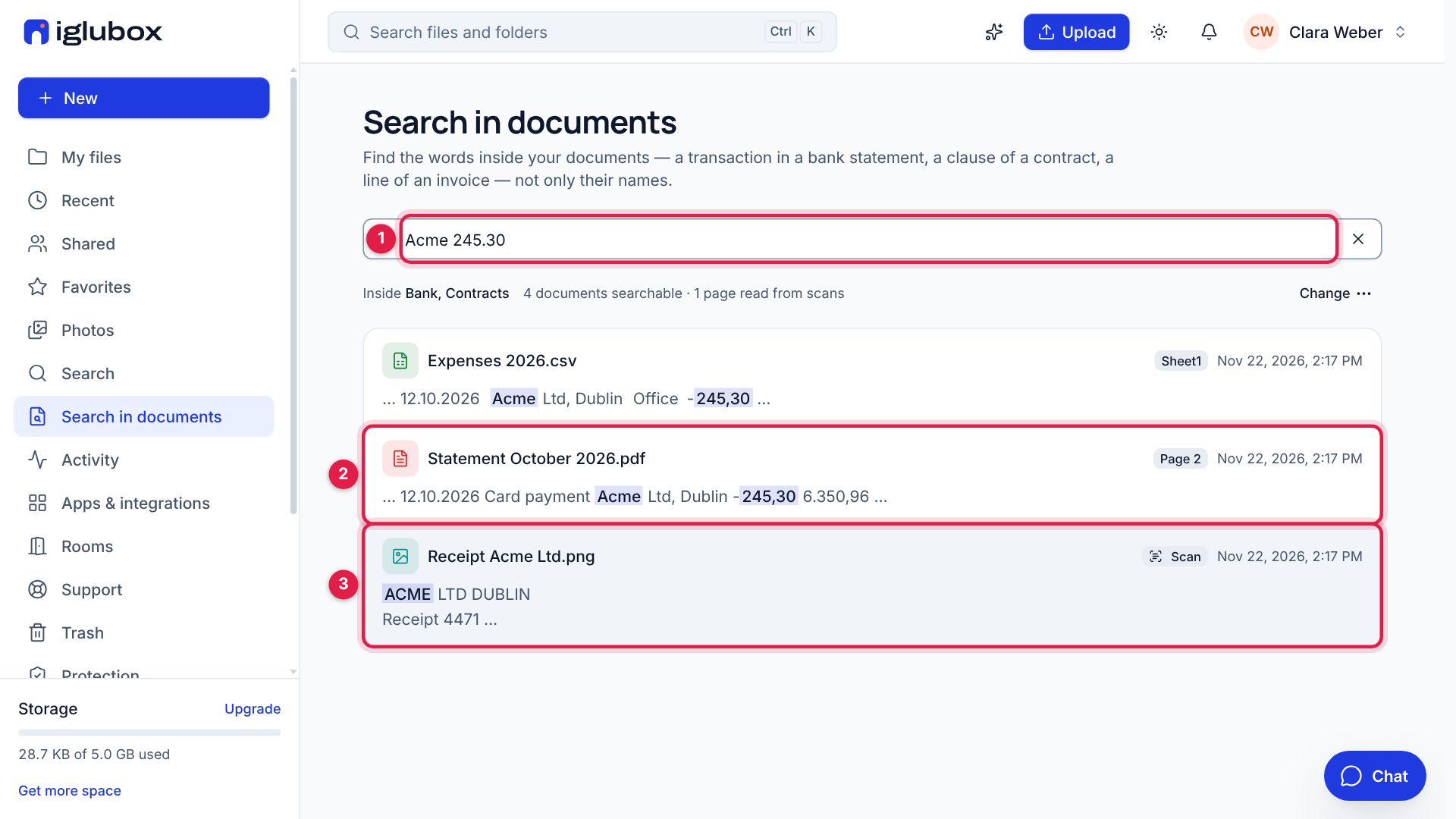
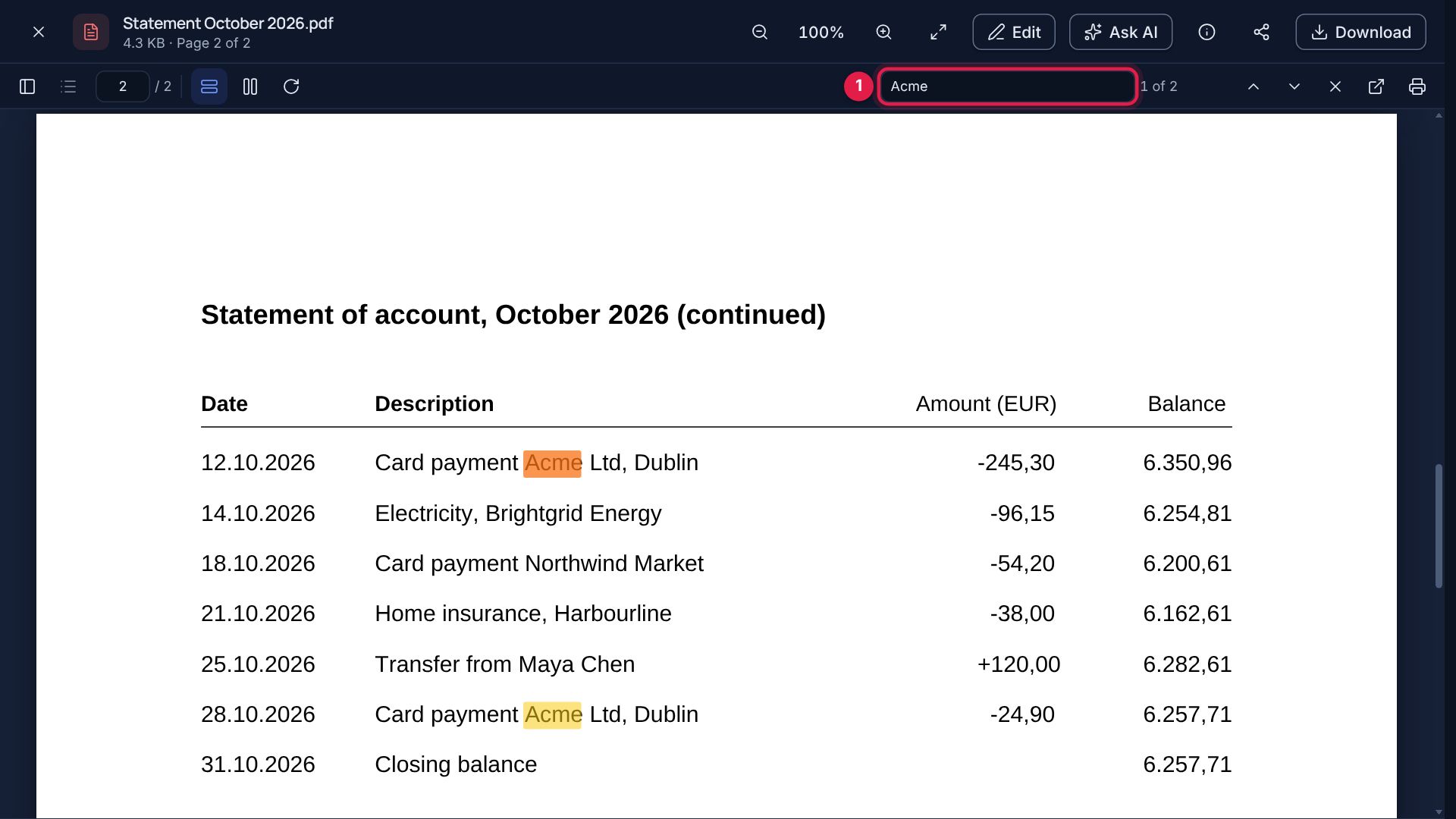
Type a few words of what you are looking for (1): the shop and the amount, Acme 245.30. Amounts and dates are found however they are written: 245.30 finds the -245,30 of the statement, and 2026-10-12 would find 12.10.2026. Each result is a page: the statement, on page 2 (2), with its line and what matched marked, and the photo of the receipt (3), read as a scan.
Step 4: Open it at its page
Choose a result: the document opens at its page, with the word you searched for found in it (1). 1 of 2 says it is there twice; the arrows beside it go from one to the other.
Step 5: A clause, a name, a date
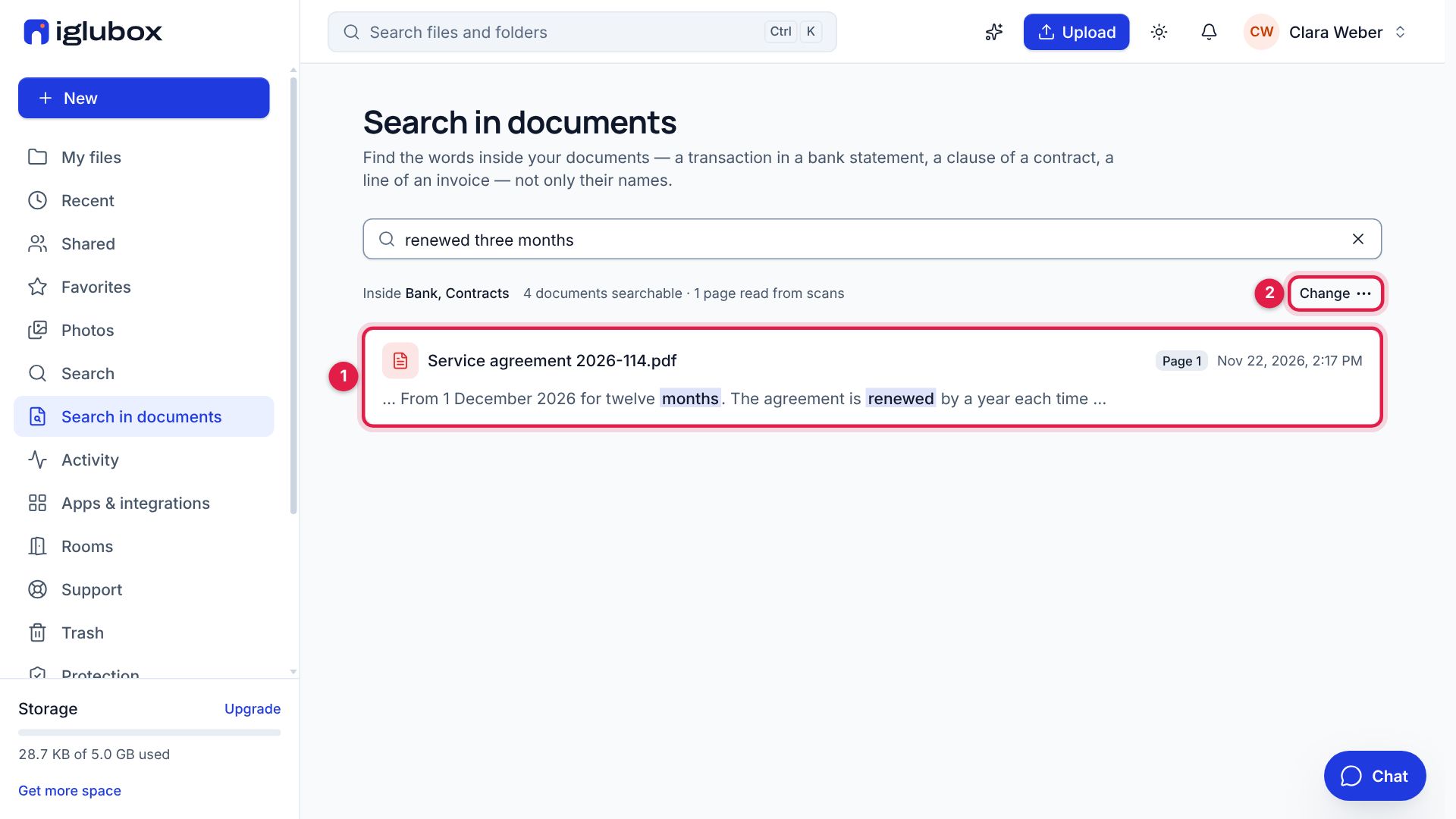
The same search finds the words of a contract: renewed three months finds the clause of the service agreement that says how it is renewed (1). Change (2) lets you choose other folders, search your whole account, or delete the index: the text read is deleted, and your documents stay as they are.
What you add or change later in the folders you chose is read by itself.