Know somebody who needs a safe place for their files? Invite them: when they join with your link and confirm their account, you both get more space.
What you need: an account of your own, confirmed.
The pictures are from the product. The people in them were made up for the pictures.
Step 1: Open Get more space
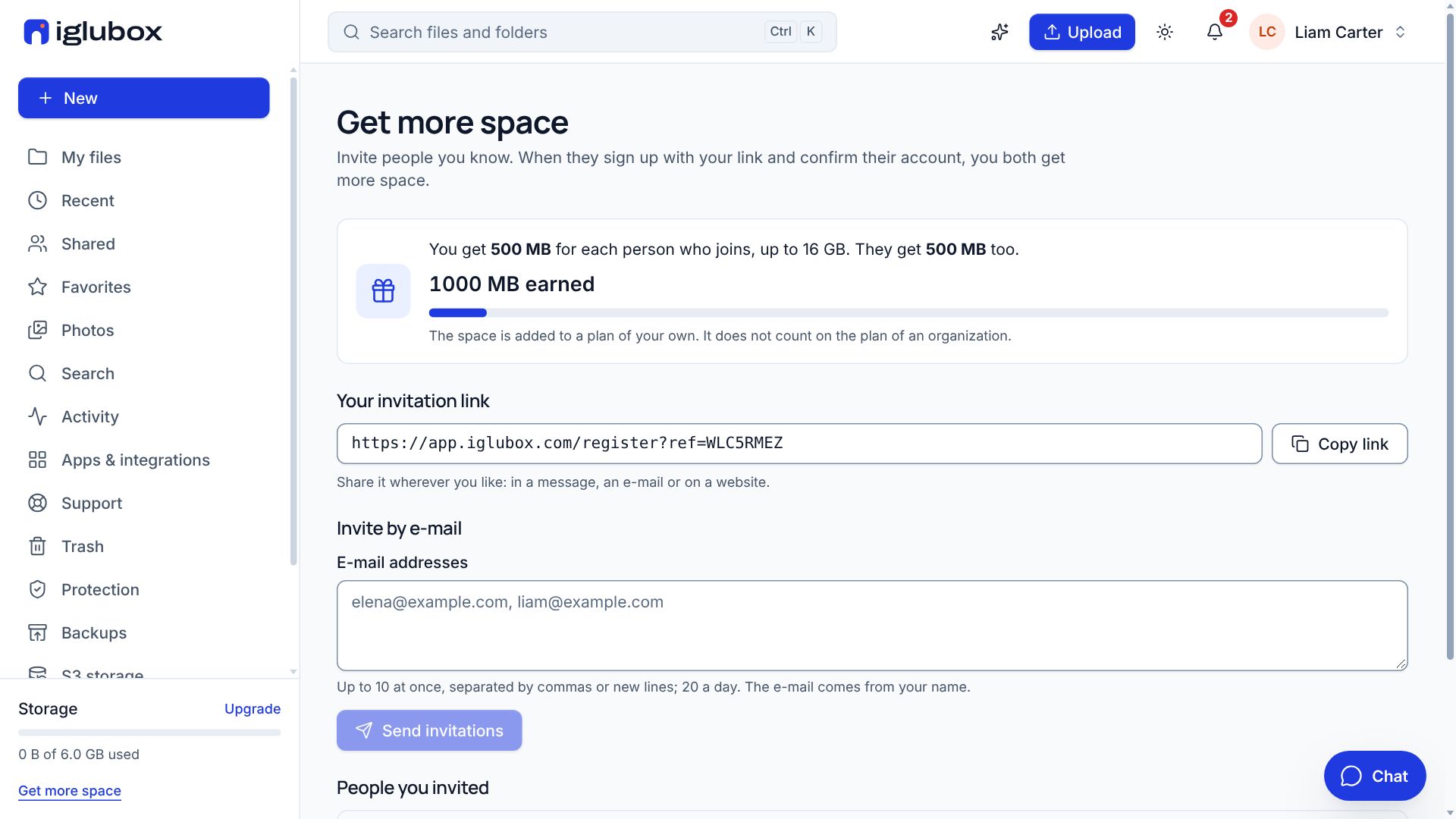
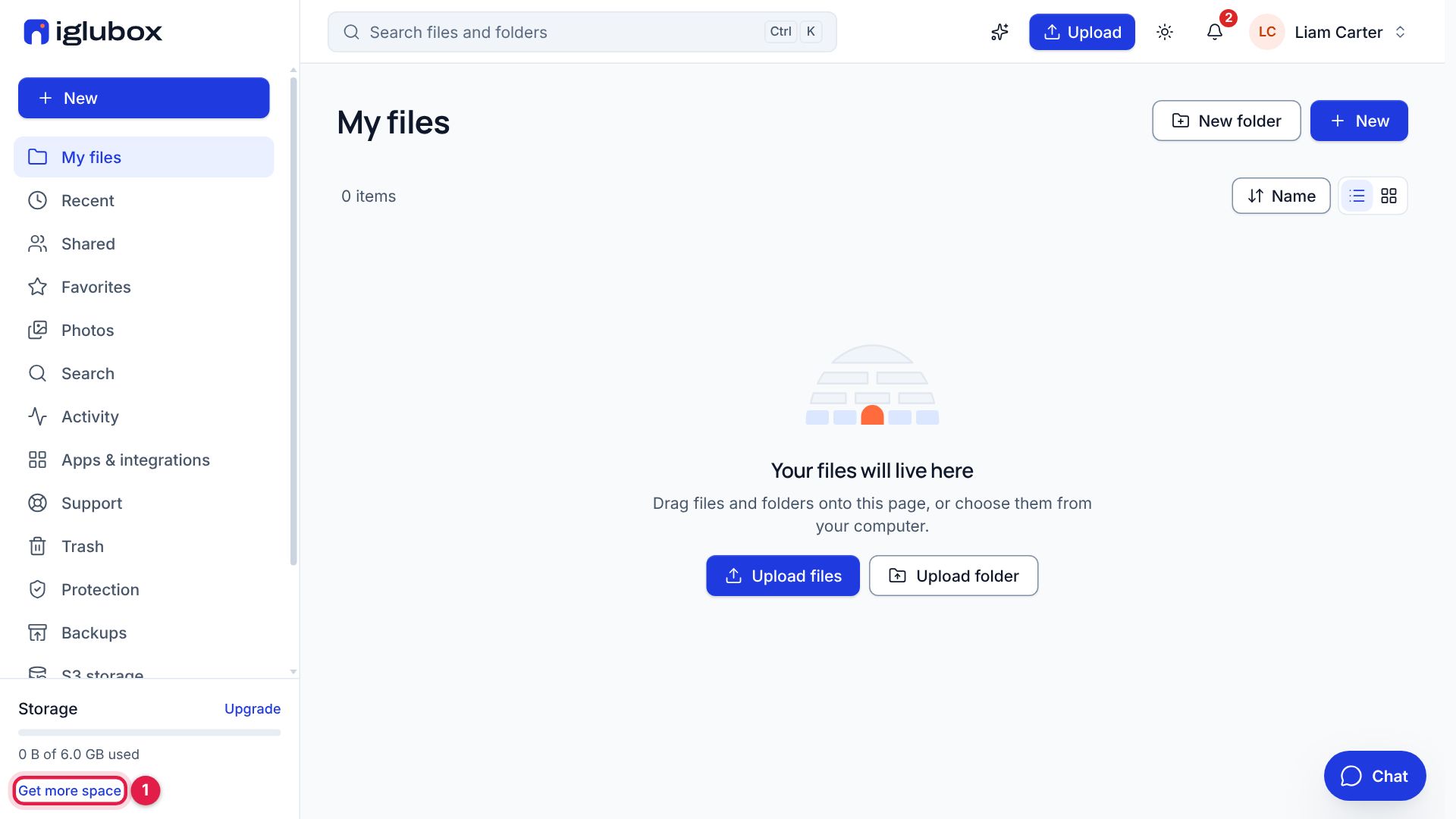
In the web app, choose Get more space in the sidebar (1), under the storage bar.
Step 2: Share your link
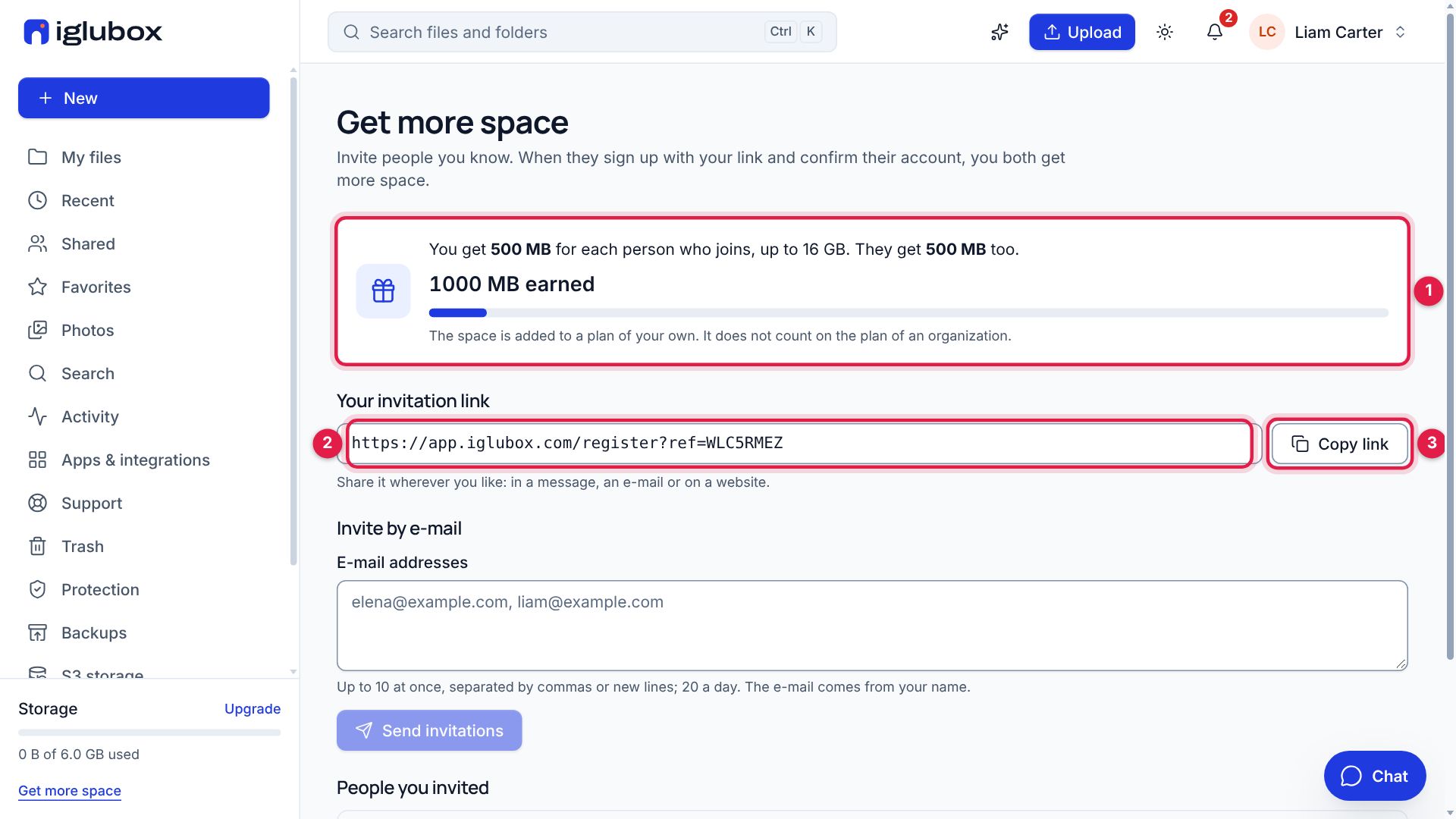
The page says how much space each invitation gives you and the person who joins, and the most you can earn (1). Your invitation link (2) is yours alone: choose Copy link (3) and share it in a message, an e-mail or on a website.
Step 3: Or send it by e-mail
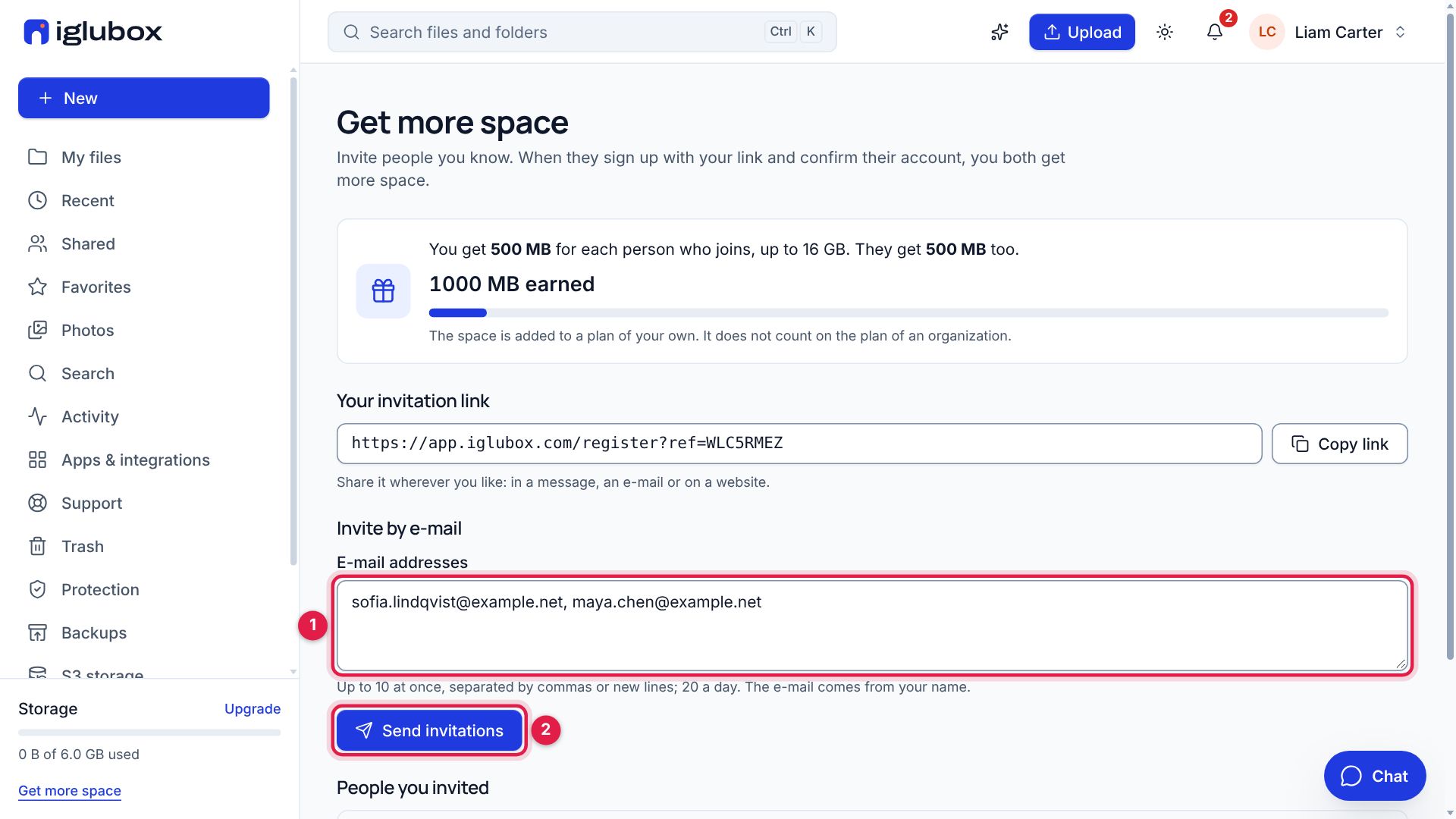
Write the addresses of the people you want to invite (1) — up to 10 at once, separated by commas — and choose Send invitations (2). The e-mail comes from your name, with your link.
Step 4: See who joined
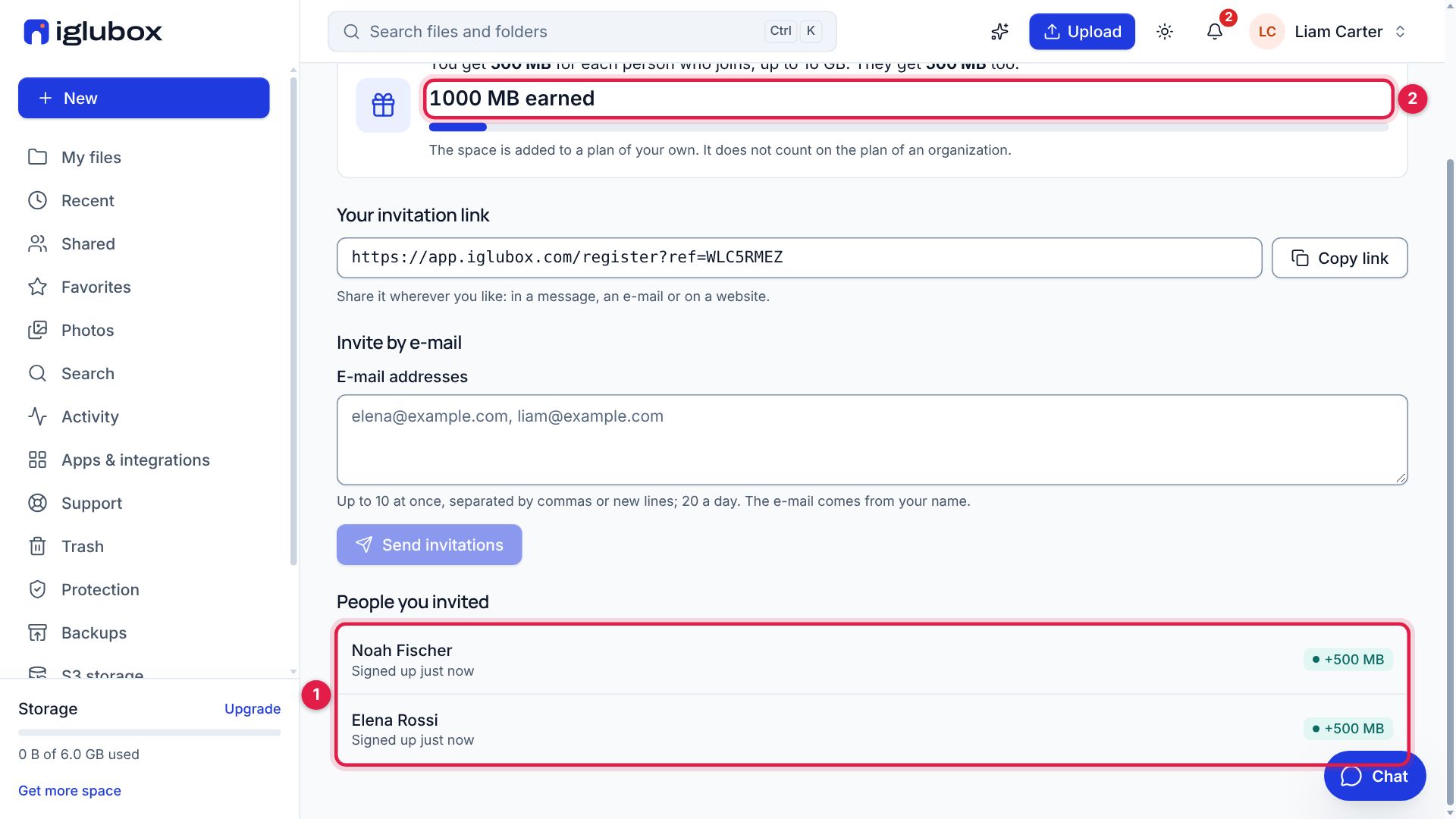
People you invited lists who signed up with your link (1): when they confirm their account, the space they gave you is shown beside them. The space earned so far is at the top (2).
The space is added to a plan of your own; it does not count on the plan of an organization. The help center has the details: Get more space by inviting people.